SobreTermosPrivacidadeContato
 
Atualizando
Password Manager - mSecure

Password Manager - mSecure

Lançamento: 2017-05-15
© mSeven Software LLC
Password Manager - mSecure - QR Code
Versão 5.7.2
17+
Baixar na App Store
Versão 5.7.2
17+
Baixar na App Store
Lançamento: 2017-05-15
© mSeven Software LLC

Captura de tela do iPhone

Captura de tela
Captura de tela
Captura de tela
Captura de tela
Captura de tela
Captura de tela

Captura de tela do iPad

Captura de tela
Captura de tela
Captura de tela
Captura de tela
Captura de tela

Descrição

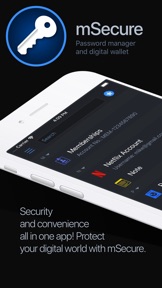
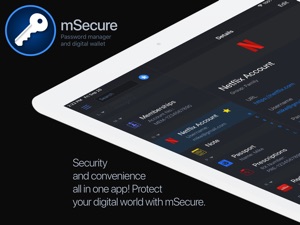
Don’t take any chances with your passwords and private information. From desktop to mobile, no matter the platform, mSecure is the most secure and straightforward solution to managing your passwords and other sensitive information.
From the user interface to the encryption model, mSecure 5 represents an entire redesign of the app you trust to protect your most important and private information. We've combed through every byte and pixel to make sure your information is easy to use, easy to access on all your devices and secure like never before with industry standard AES-encryption.
Over one million downloads!
mSecure 5 includes both Free and Pro features. The Free features can be used forever at no cost. The Pro features are free to try for 30-days. After that, you must purchase a Pro license to continue using the Pro features.
FREE - Here's what's included for free:
• Unlimited number of records
• Over 20 built-in templates
• Group and filter records
• Strong password generator
PRO - Here's what's included when you upgrade to Pro:
• Sync all of your devices
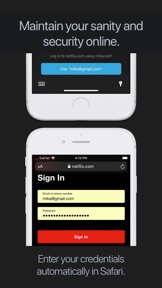
• iOS 12 Autofill feature
• Backup & Restore
• Customizable Templates
• Security Center
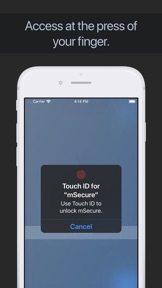
• Touch ID & Face ID support
• Apple Watch support
A Pro license entitles you to use the software on all of your devices on multiple platforms at no additional cost. We want to emphasize this is NOT A SUBSCRIPTION, it is a one-time purchase. Once you purchase mSecure via In-App Purchase on one device, it is instantly unlocked on all of your devices.
NEW FEATURES
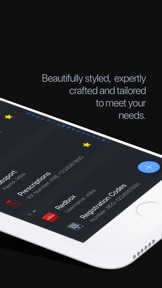
• Modern, attractive user interface
• Sync all of your devices via iCloud, Dropbox, Wifi or the new mSecure Cloud
• Security Center helps you identify and fix old, weak or duplicate passwords
• Custom icons
• Photo attachments
• Record level fields
• Recover deleted items
• Batch editing of records
• Many more features and enhancements
SECURITY — Protect your passwords and data with confidence
• Encrypts your data using industry standard AES 256-bit encryption
• Password Generator creates and stores random, complex, unique passwords
• Auto-lock and Auto-backup features keeps data safe
• Touch ID and Face ID support allows quick, secure access
SIMPLICITY — Easily add, find, manage, and organize data and passwords
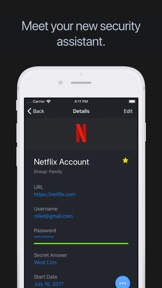
• Over 20 built-in templates for quick and easy data entry with the ability to create custom templates
• Integrated search, collapsible headers, plus intelligent sorting, filtering and grouping makes organizing and finding your information quick and easy
• Mark any item as a favorite for quick access
SYNCING - Sync all of your devices
Supports iCloud, Dropbox and Wifi syncing, as well as the new mSecure Cloud, an optional integrated sync service that provides convenient, reliable, and secure syncing of all of your devices on multiple platforms.
NO SUBSCRIPTIONS - One low price for multiple devices and platforms
A one-time purchase of mSecure allows you to use mSecure on all of your devices on multiple platforms. This is a one-time purchase that unlocks the Pro features on all of your devices and is NOT A SUBSCRIPTION.
Don’t take any chances with your passwords and private information. Keep your data safe and secure with mSecure 5!
SUPPORT - Please contact us if you have a question or need help by visiting us on our support forum - http://discussions.msecure.com - or via email - mailto:support@msevensoftware.com.
Stay connected with us at https://twitter.com/msecure and https://www.facebook.com/mSevenSoftware/

Novidades da versão 5.7.2

- Fix for a few users unable to sync data
- Fix for Security Center tab changing after a sync
- Fix for an issue with rearranging groups or types
- Fix for password generator in action extension
- Fix for clipboard not being cleared in some circumstances
- Other minor fixes

Vendedor

Nome

mSeven Software, LLC

Informações

Categorias

Versão

5.7.2

Tamanho

91,4 MB

Game Center

Não

VPP Device Licensing

Sim

Classificação

Classificação 17+ de acordo com o seguinte:
Acesso irrestrito à Web

Compatibilidade

iOS 11.4 ou posterior

Dispositivos

iPhone 5s, iPhone 6, iPhone 6 Plus, iPhone 6s, iPhone 6s Plus, iPhone SE, iPhone 7, iPhone 7 Plus, iPhone 8, iPhone 8 Plus, iPhone X, iPhone XR, iPhone XS, iPhone XS Max, iPhone 11, iPhone 11 Pro, iPhone 11 Pro Max, iPhone SE (2ª geração), iPad (5ª geração) Wi-Fi, iPad (5ª geração) Wi-Fi + Cellular, iPad (6ª geração) Wi-Fi, iPad (6ª geração) Wi-Fi + Cellular, iPad Pro, iPad Pro (Cellular), iPad Pro (9,7 polegadas), iPad Pro (9,7 polegadas) (Cellular), iPad Pro (12,9 polegadas) (2ª geração), iPad Pro (12,9 polegadas) (2ª geração) (Wi-Fi + Cellular), iPad Pro (10,5 polegadas), iPad Pro (10,5 polegadas) (Wi-Fi + Cellular), iPad Pro (11 polegadas), iPad Pro (11 polegadas) (Wi-Fi + Cellular), iPad Pro (12,9 polegadas) (3ª geração), iPad Pro (12,9 polegadas) (3ª geração) Wi-Fi + Cellular, iPad Air, iPad Air (Cellular), iPad Air 2, iPad Air 2 (Cellular), iPad Air (3ª geração), iPad Air (3ª geração) Wi-Fi + Cellular, iPad mini Retina, iPad mini Retina (Cellular), iPad mini 3, iPad mini 3 (Cellular), iPad mini 4, iPad mini 4 (Cellular), iPad mini (5ª geração), iPad mini (5ª geração) Wi-Fi + Cellular, iPad (7ª geração) Wi-Fi, iPad Pro de 11 polegadas (2ª geração), iPad Pro de 11 polegadas (2ª geração) Wi-Fi + Cellular, iPad Pro de 12,9 polegadas (4ª geração), iPad Pro de 12,9 polegadas (4ª geração) Wi-Fi + Cellular, iPad Air (4ª geração) (Wi-Fi), iPad Air (4ª geração) (Wi-Fi + Cellular), iPad (8ª geração) Wi-Fi, iPad (8ª geração) Wi-Fi + Cellular, iPod touch (6ª Geração), iPod touch (7ª geração), Apple Watch Series 4

Idiomas

alemão, espanhol, francês, inglês, italiano

App Store: Avaliações de clientes

Classificações e Avaliações

4,5 de 5 (148 avaliações)

App Store: Opiniões de clientes

2020-05-27

Falta versão em Português

Uso a versão 4.5.3 em Português q é excelente - porém se eu perder o celular não sei como conseguir restaurar essa versão em português pois nas versões atuais não há e não há como baixar as versões antigas.
Edulemossilveira
Versão 5.7.1
2018-10-12

Não sincroniza com o Dropbox

Não sincroniza
LCFoly
Versão 5.6.1
2018-01-31

Excelente!

Ao contrário do 1password e dashlane, nesse só se paga uma vez. Sincroniza os dados automaticamente entre vários PC, Mac, iphone e ipad. Funciona com face id.
Sergio caro
Versão 5.5.2
2017-06-29

Licença

Se eu tiver 2 iphones terei que comprar uma licenca multi usuario ou posso usar a licença single device para os dois?
chllino
Versão 5.0.2